
How to Set Up Recurring Posts for MLB Featured Plan Spotlight Promotions
Scope
This SOP outlines the process for setting up recurring social media spotlight posts for Maryland Local Businesses members on the Featured Plan ($79/month).
Members on this plan use the same promotional graphic for each quarterly promotion.
Each promotion also includes $20 in ad spend, which must be applied manually when the post publishes.
While the spotlight post itself will be scheduled as a recurring organic post, the paid advertisement must still be manually created each quarter.
Step 1 — Client Approval
After a business signs up for the Featured Plan:
Send the client their business listing and social media promotion graphic in the welcome email for approval.
Once the client approves both items, proceed with setting up their recurring promotions.
Step 2 — Navigate to the Social Planner
Log into the Maryland Local Marketing sub-account in the CRM.
Navigate to the Marketing tab in the left sidebar.
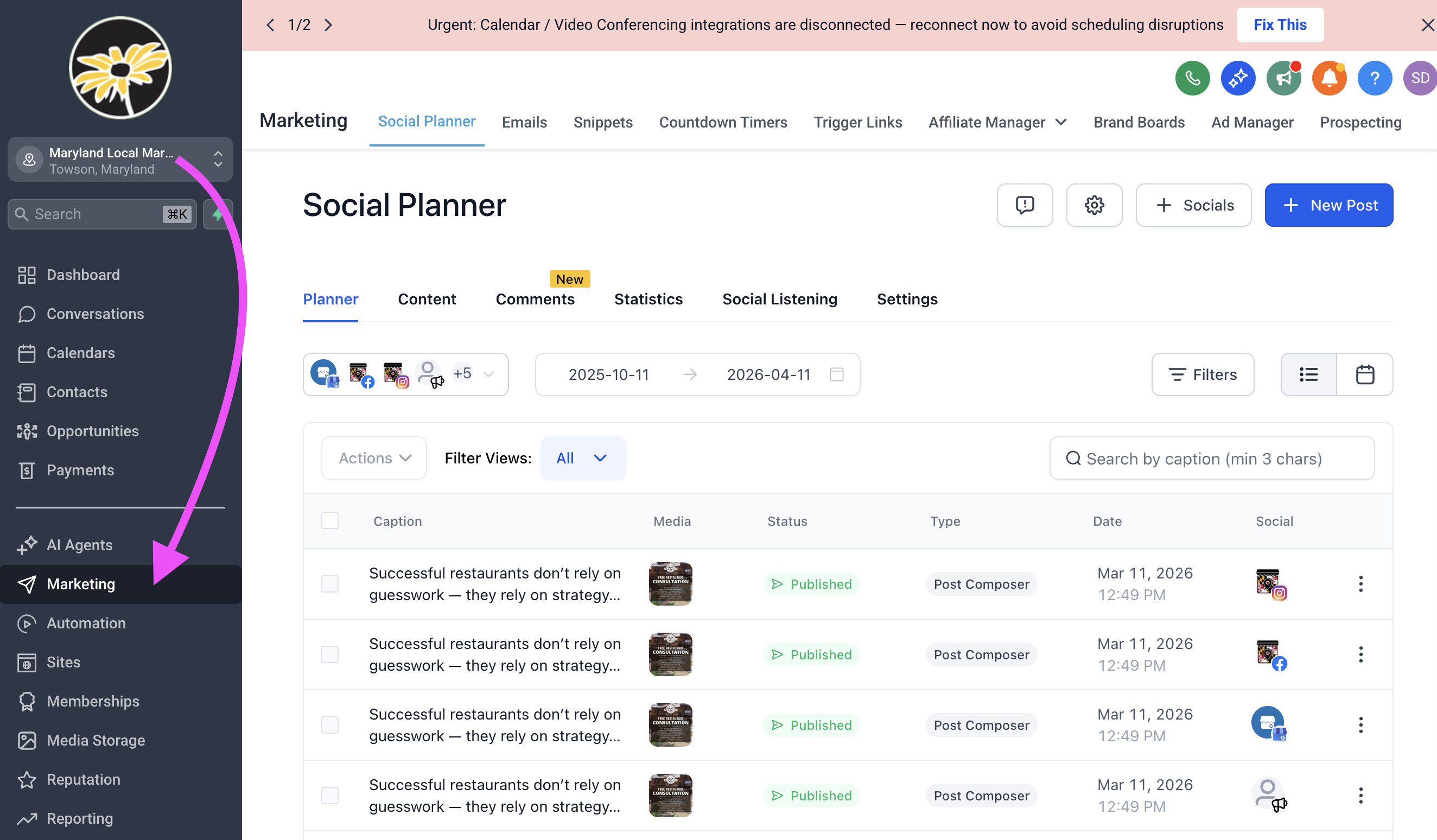
Open the Social Planner (this should load automatically. If not, select it from the top navigation).
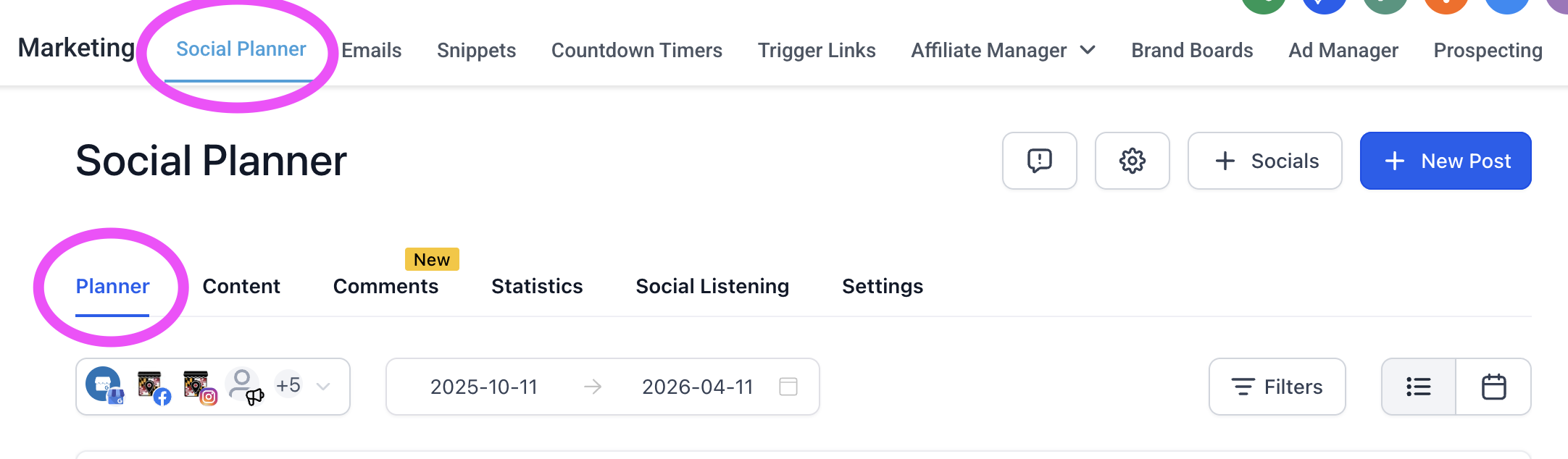
Step 3 — Create the Spotlight Post
Click the blue plus (+) button to create a new post.
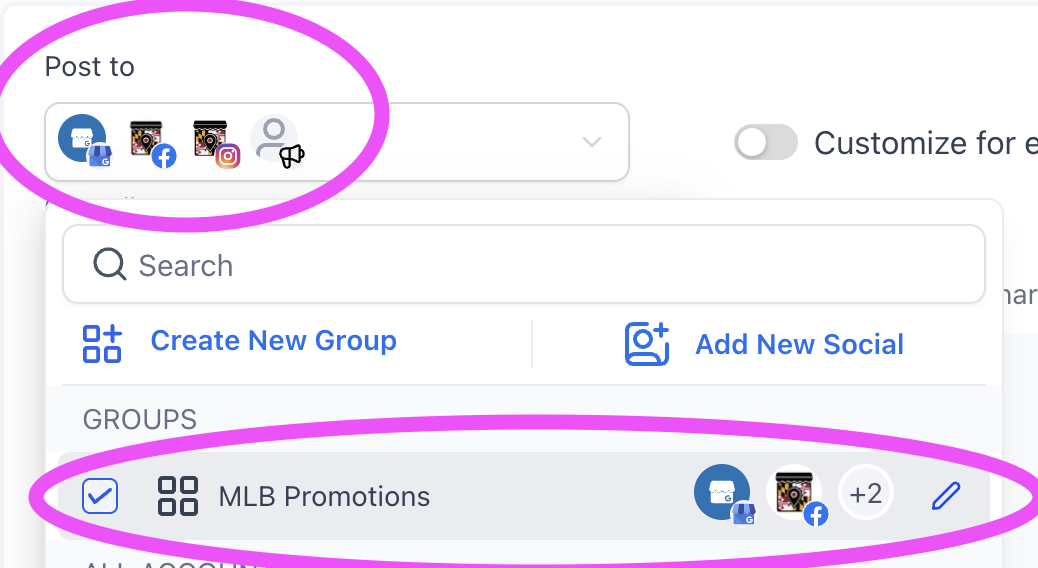
In the Post To dropdown, select the MLB Promotions group.
This will publish the post to:
Maryland Local Businesses Facebook page
Maryland Local Businesses Instagram page
Maryland Local Members Networking Group
Maryland Local Businesses Google Business Profile
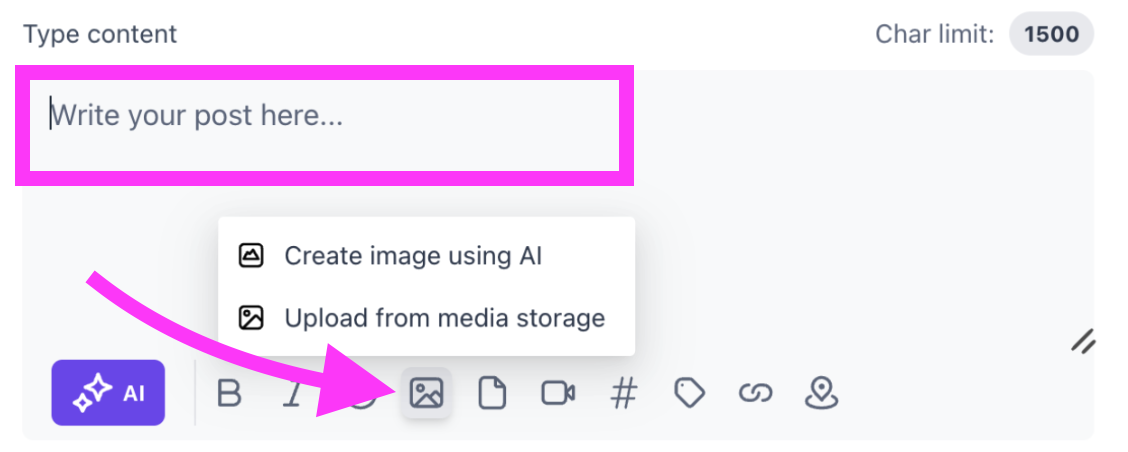
Upload the promotional image and add the caption.
In the Google Business Profile settings, match the required options exactly.
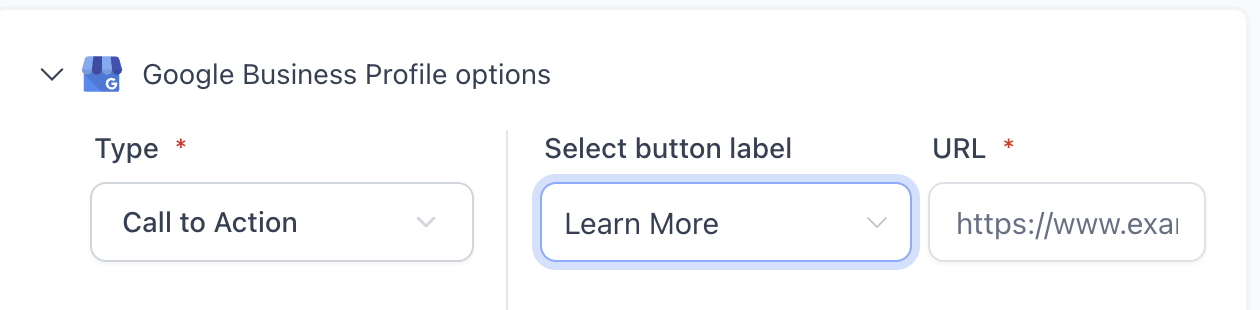
Add the client’s website link.
If the client does not have a website, use their business listing link.
Step 4 — Add Instagram Collaborator (If Applicable)
If the business has an Instagram account listed on their profile:
Enter their username (without the @) in the Invite Collaborators section.
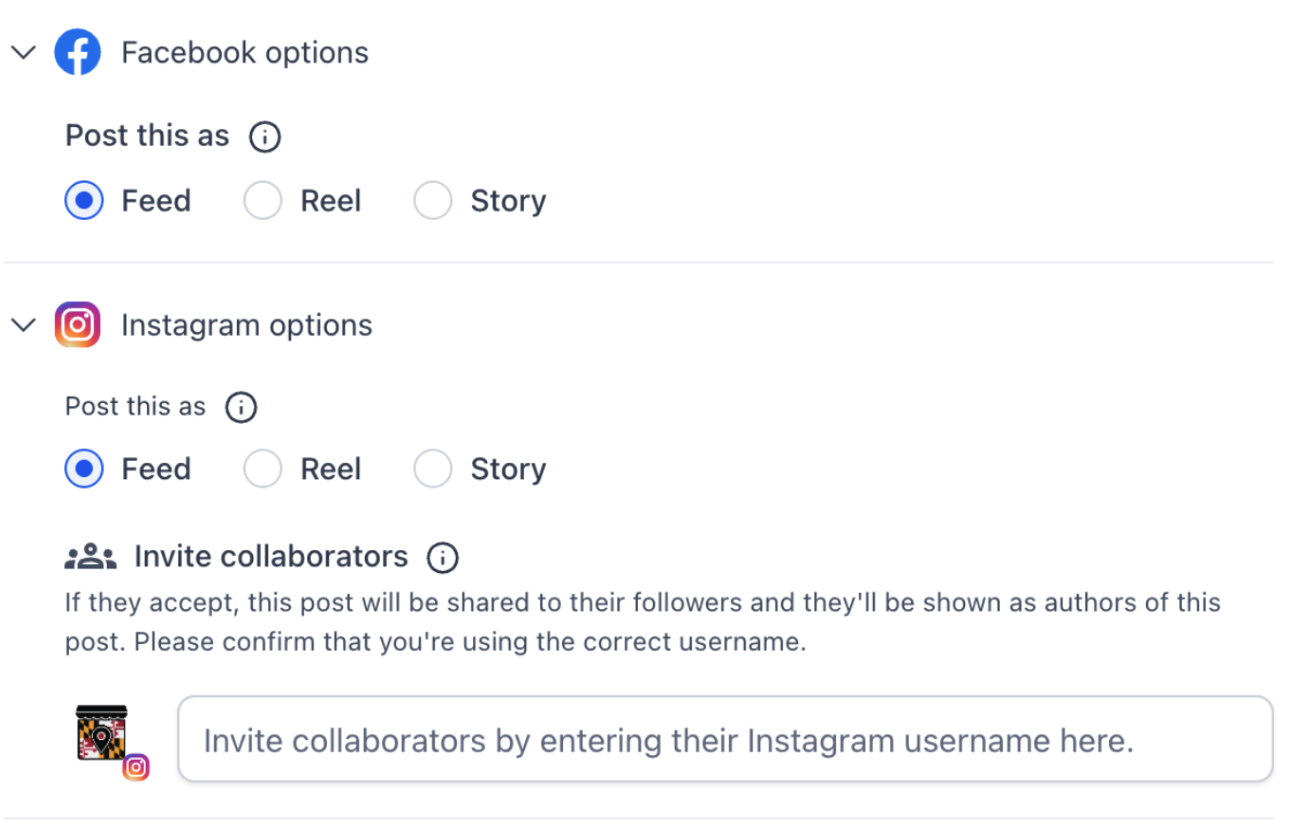
Step 5 — Configure Community Options
Add the post title as required.
Do not select Notify all group members.
Select your own name to assign the posting user.
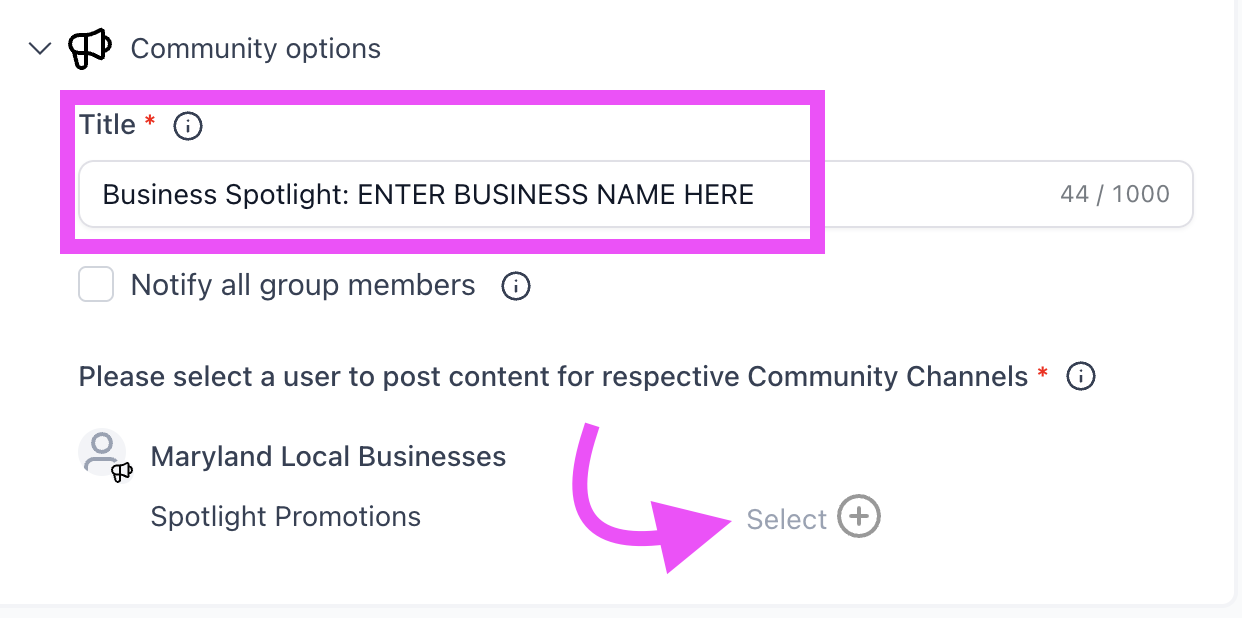
Step 6 — Schedule Recurring Post
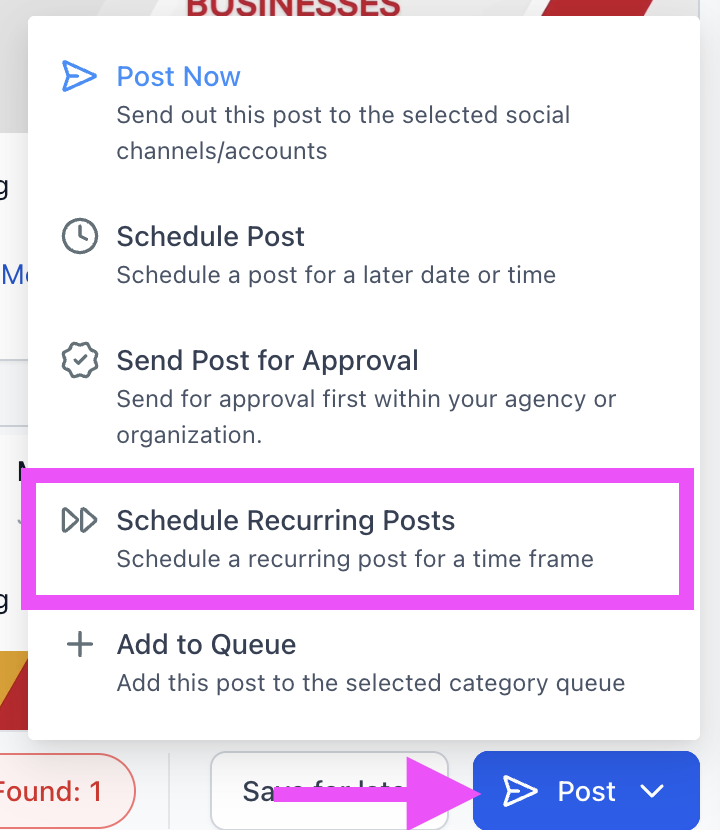
Instead of selecting Post Now, choose Schedule Recurring Posts and configure the following:
Set the post to repeat every 3 months (quarterly)
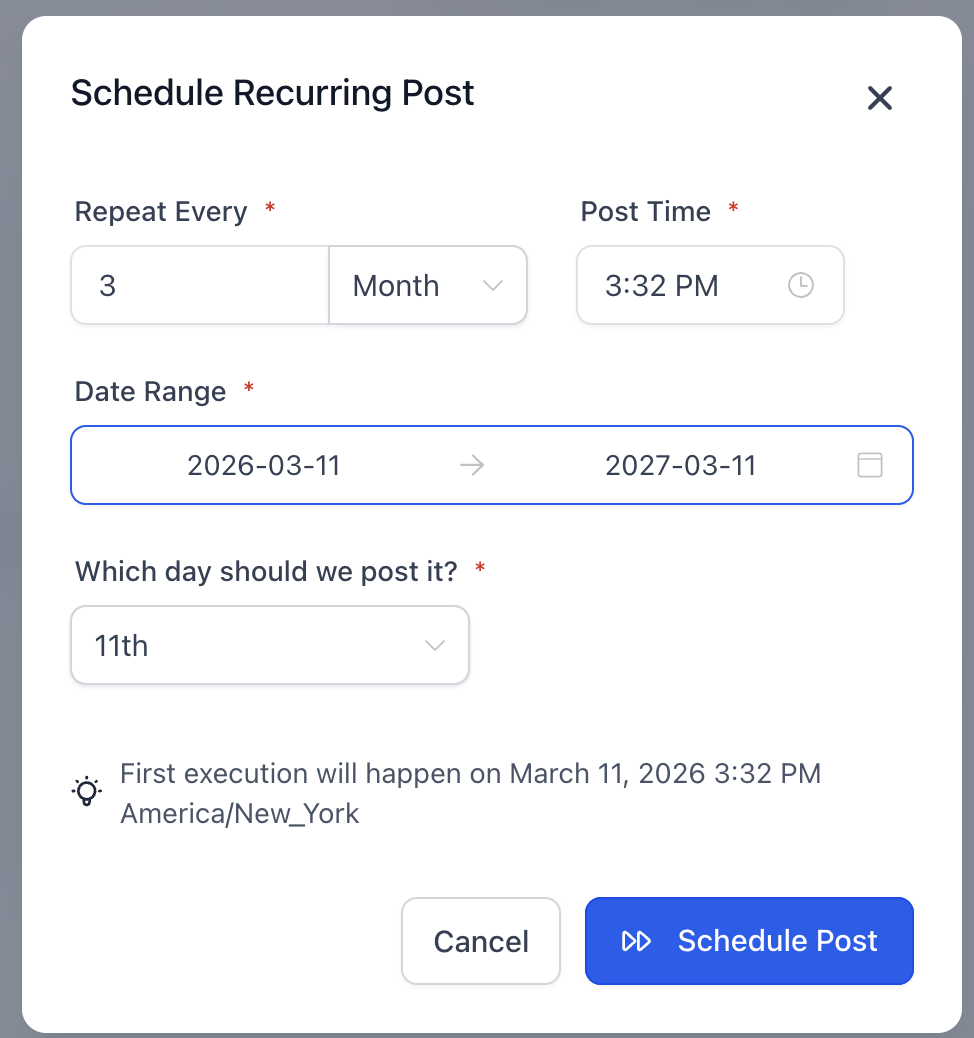
Set the post time approximately 15 minutes from the current time
Set the date range to begin today and end one year from now
Important Scheduling Rule
Do not choose a posting date after the 28th of the month.
If you are setting this up between the 28th–31st, schedule the first post for the 1st of the following month to maintain consistency.
Once configured, schedule the recurring post.